Reefer Container Error Codes: Causes and Meanings
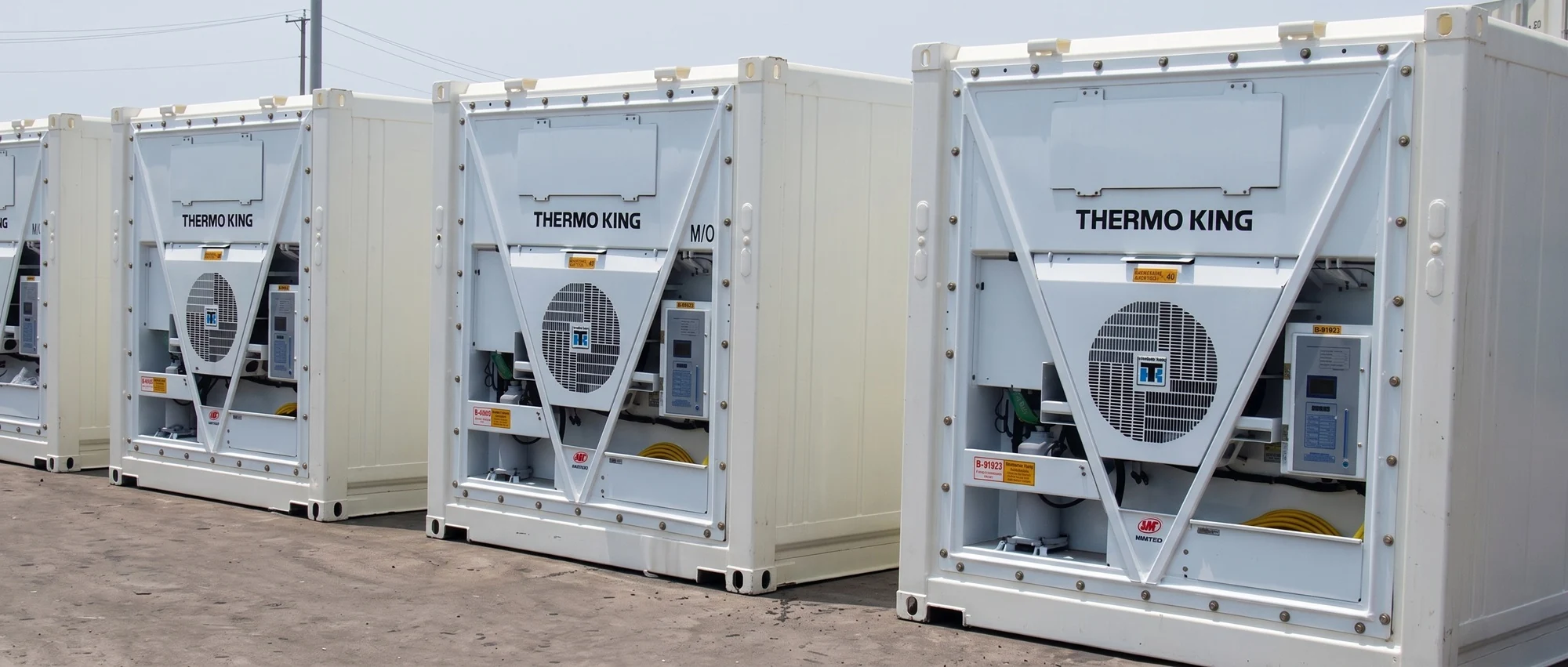
The main principle of the emergency warning system is to provide balanced protection for the unit and the cargo being transported. Road and marine refrigerated containers of 40 feet or 20 feet must operate in a specific mode; otherwise, there is a risk of cargo damage. Sensors detect current malfunctions and send alerts. Error output is managed by the microprocessor.
Each alarm code has its own meaning, and different freezer models have different sets of errors. Modern monitoring systems are extremely advanced and accurate (repeat checks are performed to confirm detected malfunctions). Some warnings require compressor shutdown, while others do not. Before renting a reefer container, it is important to know the main errors and their causes — so let's take a closer look.
Causes of Reefer Container Errors
Reefer containers are equipped with complex electronic systems that ensure maximum protection of the cargo from damage and spoilage. Actions in response to detected and indicated malfunctions must be taken in a timely manner. Usually, repeated checks are performed to confirm that the malfunction is real.
Alerts about voltage drops, sudden declines in performance indicators, or similar issues can be issued without compressor shutdown. Flashing warning codes appear on the display panel to indicate alerts. If multiple alerts occur simultaneously, the corresponding indicator lights up.
Errors may point to problems in any component or subsystem of the refrigeration unit:
- fuel system;
- sensors;
- compressor;
- valve flush systems;
- and more.
More details about the error codes for various equipment can be found below.
Carrier Reefer Container Error Codes
Emergency alerts are generated by microprocessor control systems during equipment operation. All codes must be logged and recorded to ensure proper future maintenance and repair.
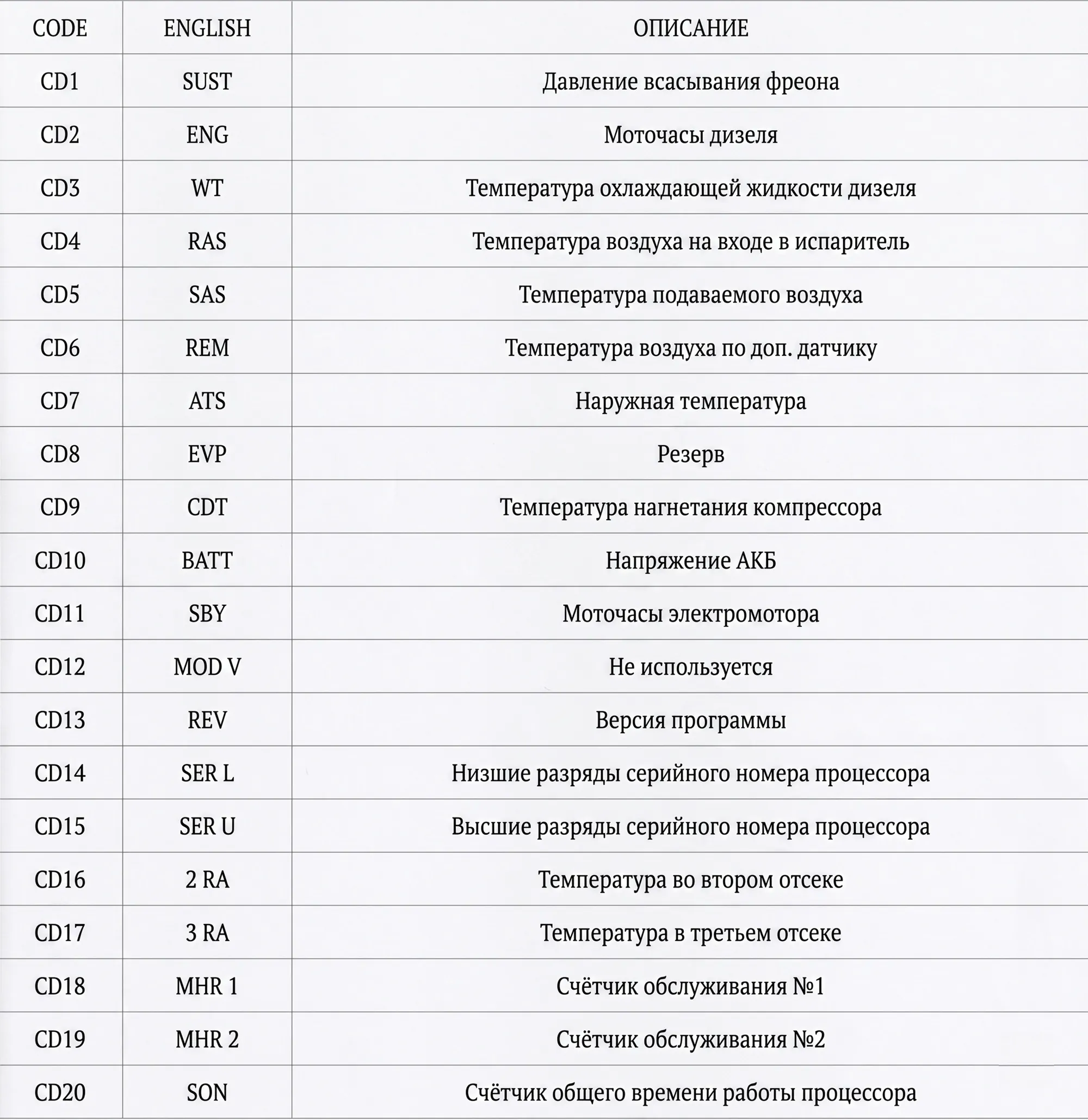
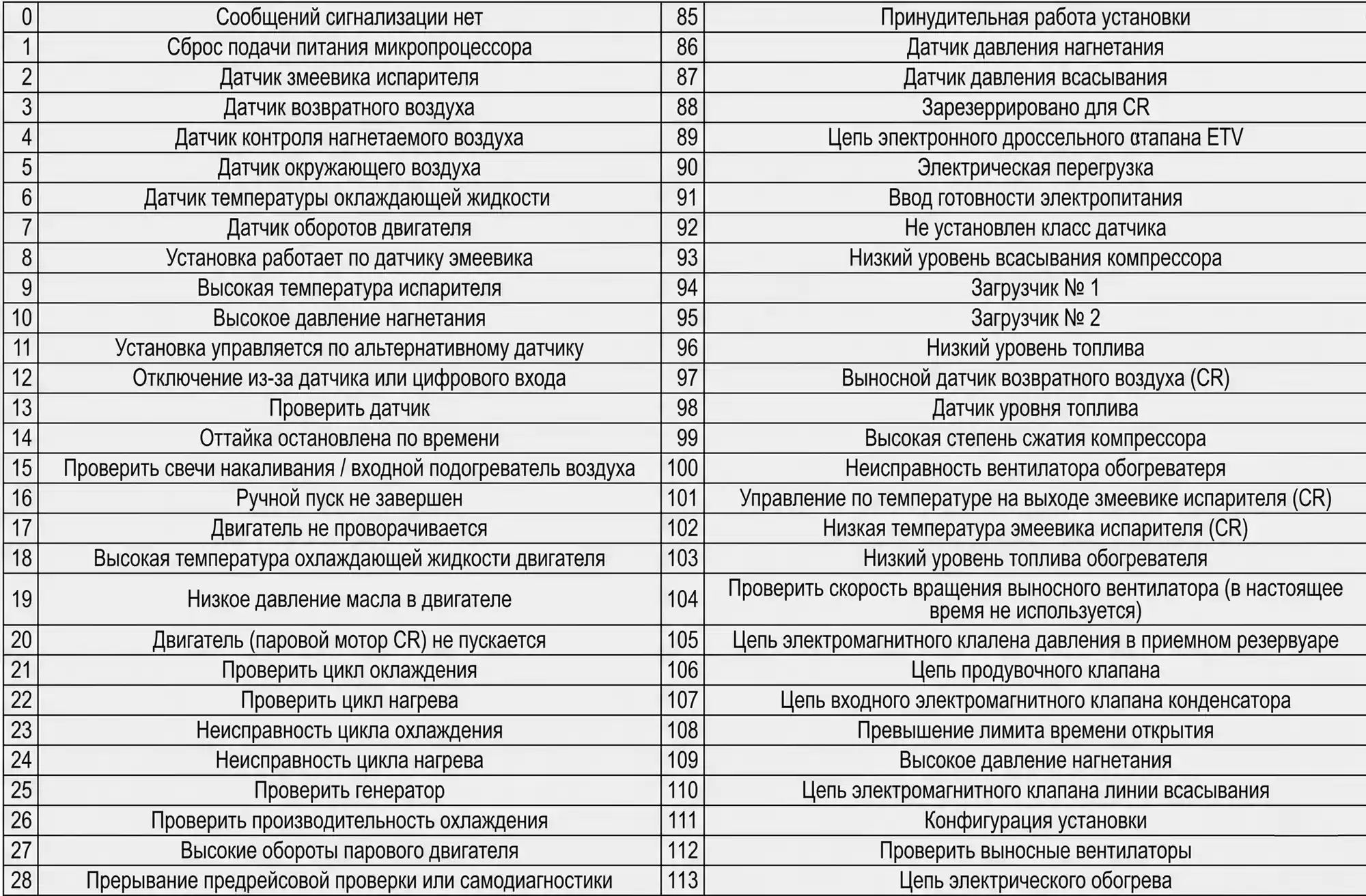
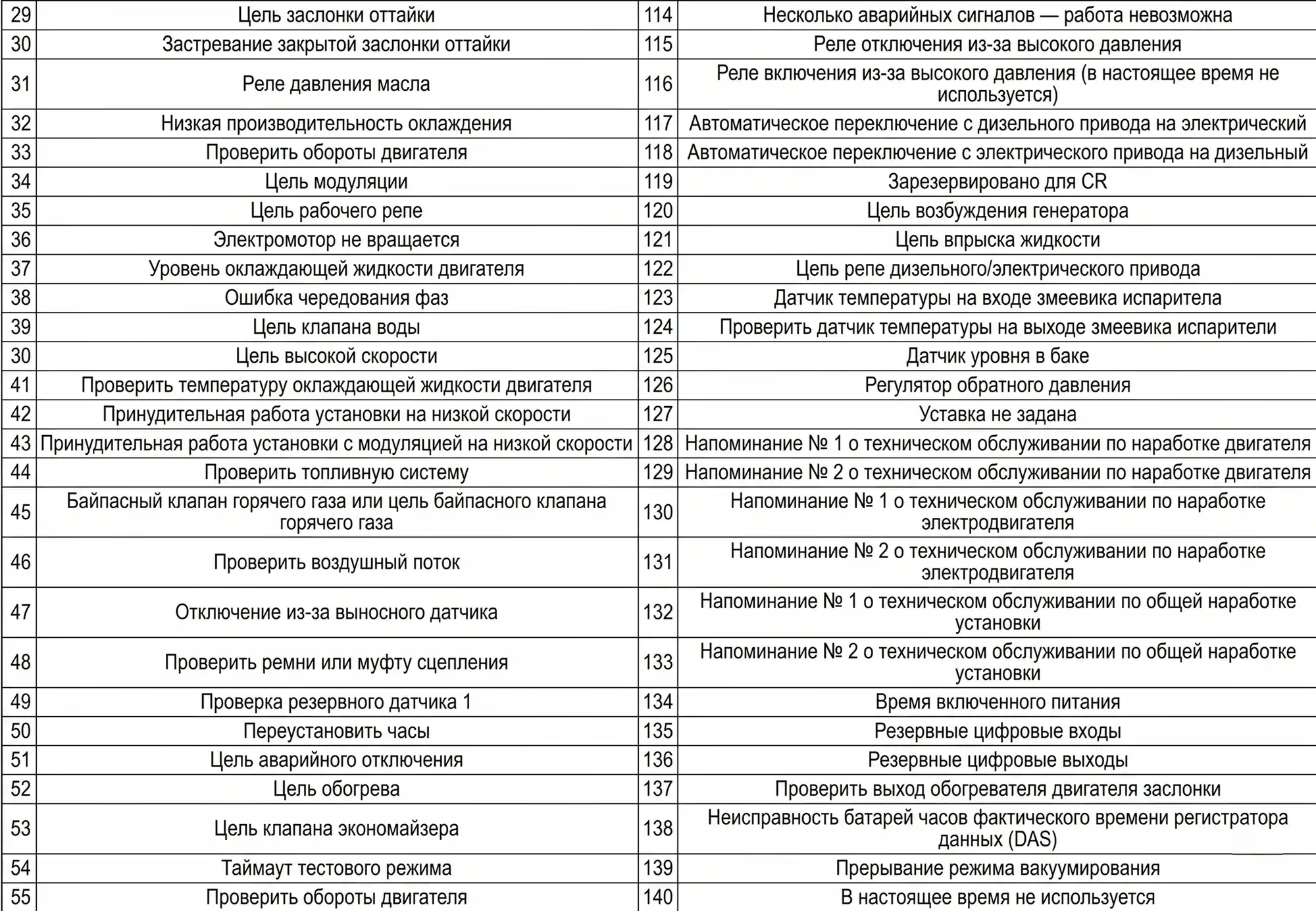
Thermo King Reefer Container Error Codes
The table contains the codes recorded by the controller. They depend on the software version, model type, and specific configuration. Refer to the alarm code table or the user manual for detailed information.
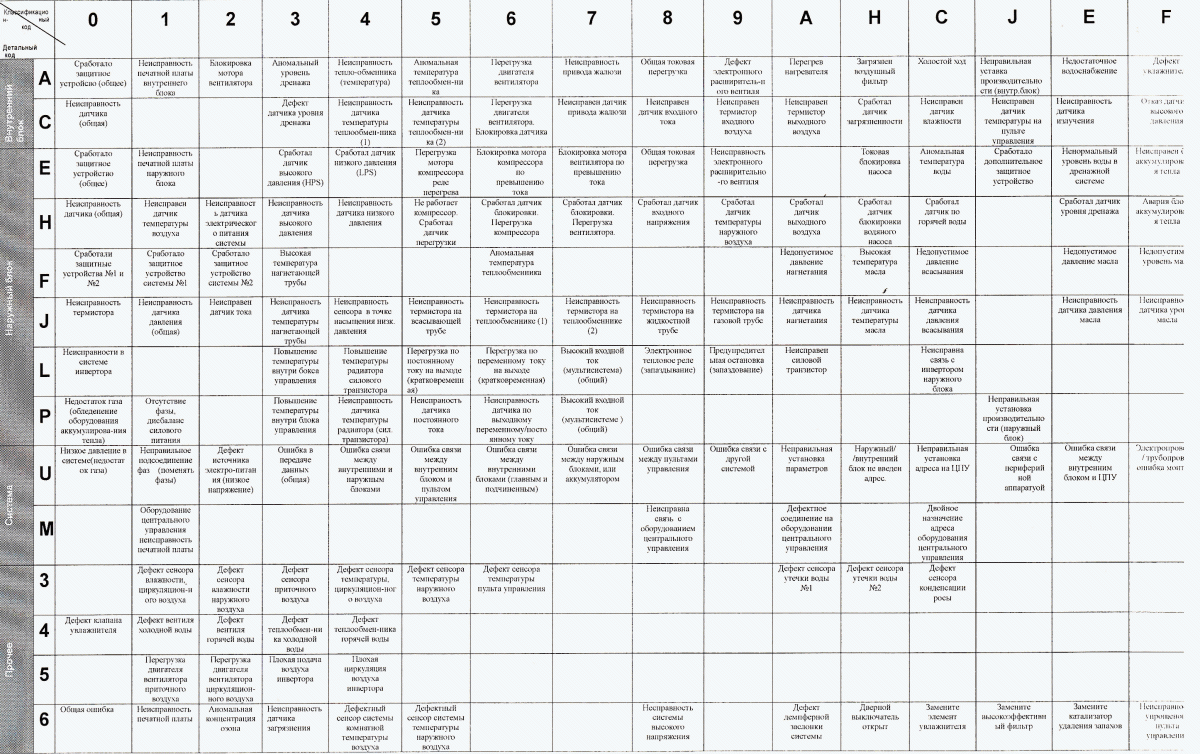
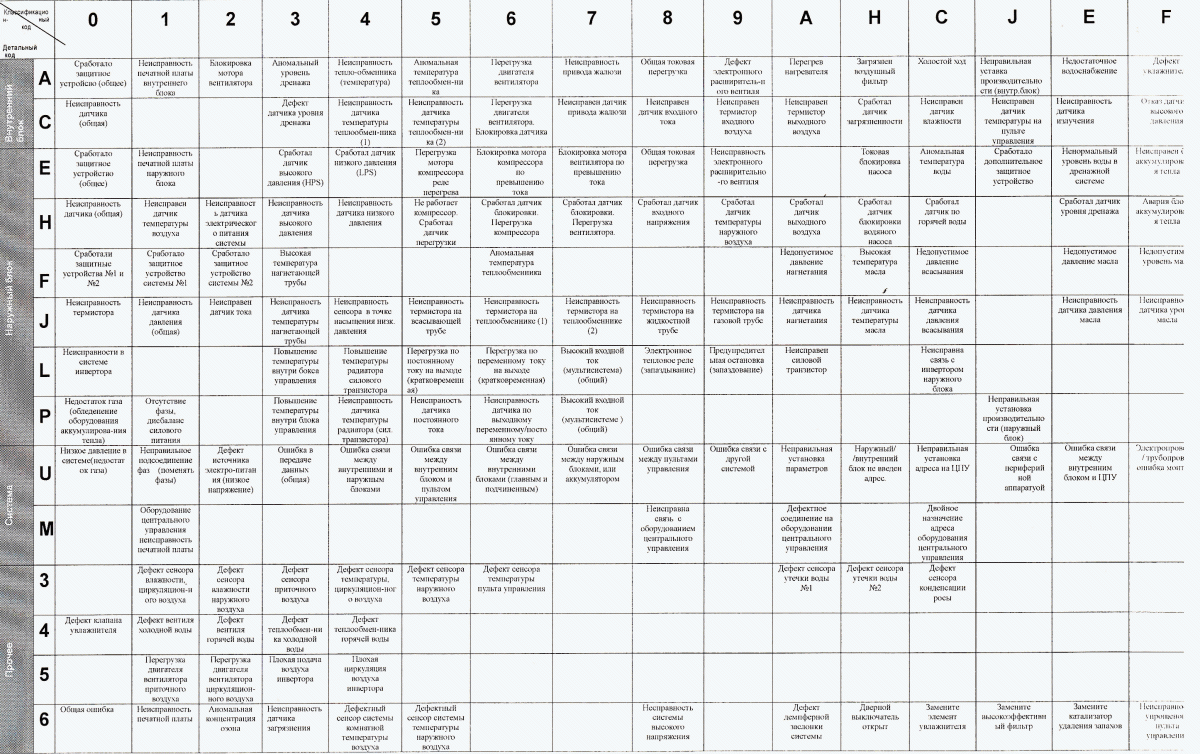
Daikin Reefer Container Error Codes
Press and hold the CANCEL button for about 5 seconds to start the diagnostic mode. All primary error codes are listed in the table.
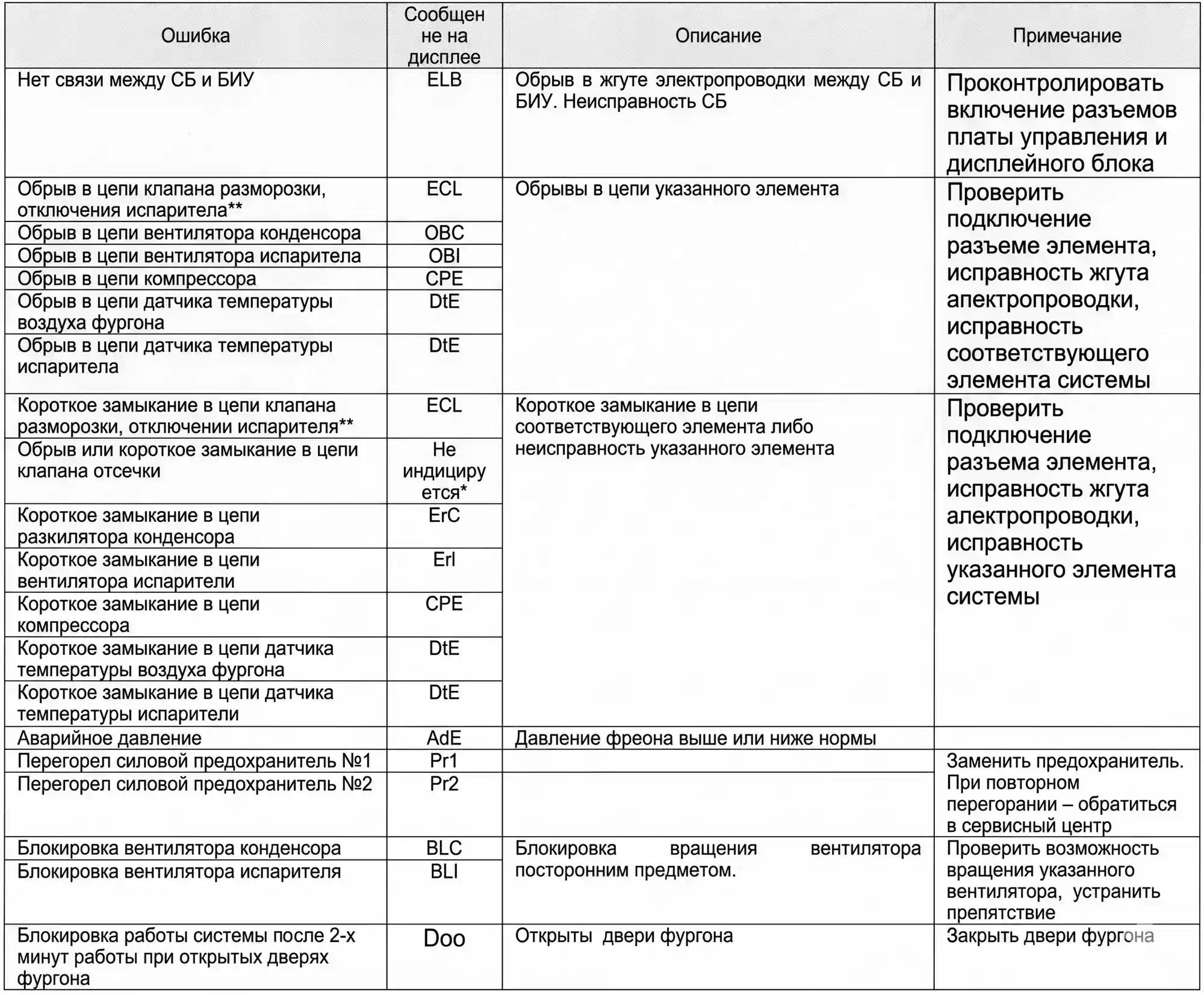
Starcool Reefer Container Error Codes
To fix Starcool errors, it is important to understand the cause. The troubleshooting table will help with this.
How to Reset or Clear Reefer Container Errors
To display an error, press the appropriate command — for example, ALARM LIST or Cancel. Review the full list of warnings displayed on the screen. The list may contain up to 16 alerts, arranged in order of appearance.
To clear the errors, ensure there are no active alerts in the list. Exceptions include notifications such as AL51 or CLEAR. To clear the list, simply press ENTER.
Do not ignore error warnings. If something is wrong with the system, the issue will not resolve on its own. Poor operating conditions can lead to cargo spoilage. In some situations, you can wait until arrival at the destination and then contact a service center for professional assistance. Modern reefer containers have accurate diagnostics systems, minimizing the risk of false alarms.
Conclusion
Reefer container errors indicate that current operating parameters deviate from acceptable, pre-programmed values. In most cases, additional checks are conducted to ensure accuracy.
Products by topic
Our Partners
Today, our company services a number of large linear companies operating in Ukraine. Such as:

























Want to stay informed?
Subscribe to our newsletter, and we'll notify you about new promotions, special conditions for partners and new clients, and market changes.